

• Homepage
  • News
  • eSports
  • PC
  • Playstation
  • Xbox
  • Nintendo
  • Reviews
  • Cosplay
What's Hot

TikTok’s “Not Interested” buttons fails you in merely a few minutes, finds research

June 12, 2026

Final Fantasy Resonance brings an all new HD-2D game with classic turn-based action

June 12, 2026

Amazon’s Sleep Studio feature turns Echo devices into a soothing sleep-bringer for kids

June 12, 2026
Facebook Twitter Instagram
  • Contact
  • Terms & Conditions
  • Privacy Policy
Facebook Twitter Instagram
Gaming MasterGaming Master
Subscribe
  • Homepage
  • News
  • eSports
  • PC
  • Playstation
  • Xbox
  • Nintendo
  • Reviews
  • Cosplay
Gaming MasterGaming Master
Home»Uncategorized»The Windows 11 June update makes your Start menu and Search feel much more snappier
Uncategorized

The Windows 11 June update makes your Start menu and Search feel much more snappier

By June 12, 2026No Comments3 Mins Read
Facebook Twitter Pinterest LinkedIn Tumblr Email
Share
Facebook Twitter LinkedIn Pinterest Email


If you’ve ever clicked on the Start button and watched the menu appear after a second or two, you already understand the problem Microsoft is trying to solve with its June 2026 Windows 11 update. 

The update (KB5094126) rolled out on June 9, 2026, for WIndows 11 24H2 and 25H2, and targets the shell responsiveness issues that have quietly frustrated users since its launch in 2021. The headline change is the broad rollout of the Low Latency Profile.

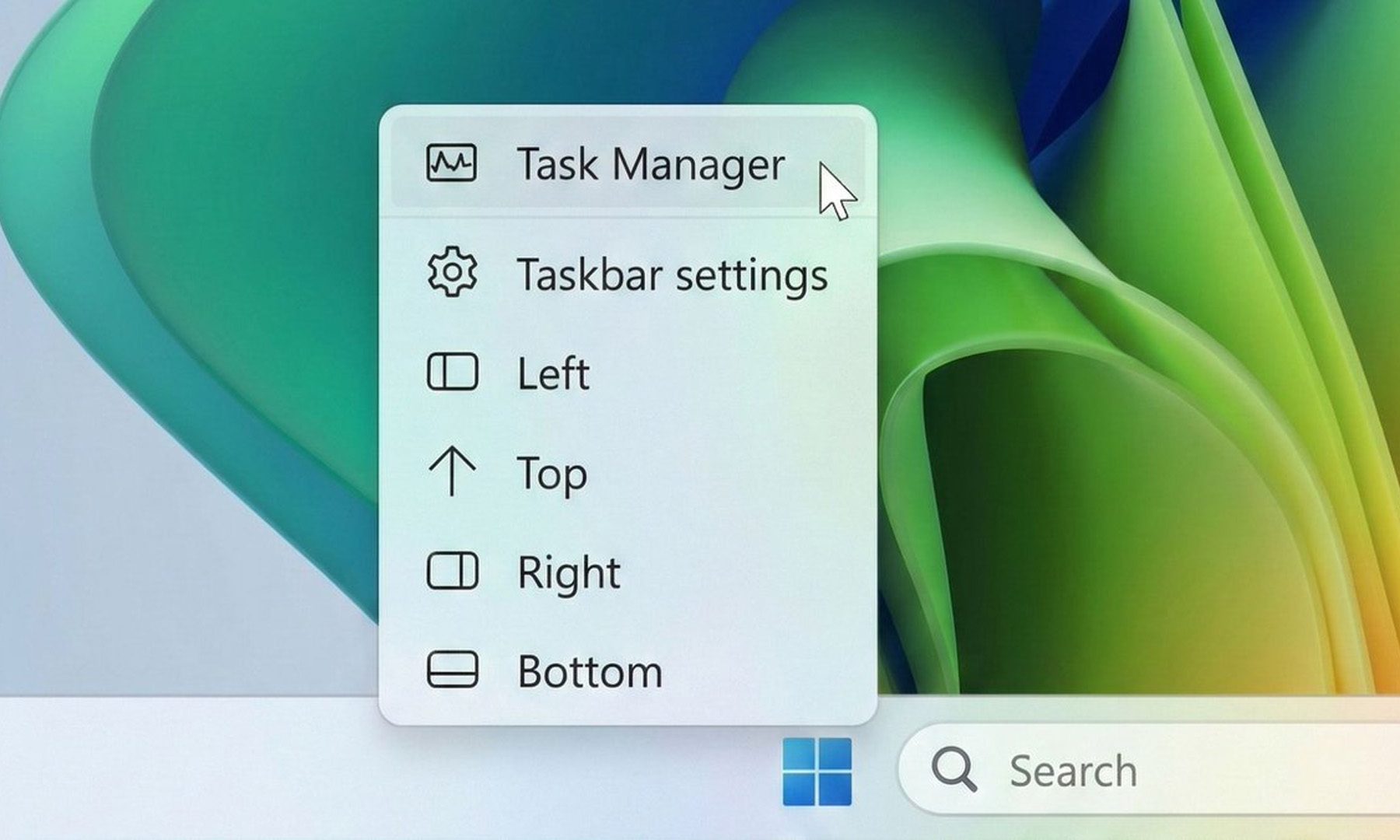
Taskbar position options windows 11
Zac Bowden / X

What is Low Latency Profile and why does it matter?

It’s something that Microsoft first tested in the May 26 preview build (with limited availability) before promoting it to the stable channel (with broader availability) this month. 

The way it works is that the Low Latency Profile briefly spikes the CPU frequency to its maximum for one to three seconds, providing an additional burst of performance whenever you interact with the core system features, including the Start menu, Search, Action Center, and taskbar flyouts. 

The burst is short enough that it doesn’t meaningfully impact battery life or thermals, but substantial enough that the shell responds immediately rather than after half a second, making those core system features feel more responsive.

With the Low Latency Profile, system flyouts can open up to 70% faster, and core apps can launch up to 40% quicker compared to the same hardware running the previous build. The performance gains are most visible on older or lower-spec machines that barely cleared Windows 11’s hardware requirements and have felt sluggish ever since.

Windows 11
Windows

What else is new in the June update?

Shared Audio now lets two people listen to audio from a single Windows 11 PC simultaneously via Bluetooth LE Audio. The Windows Task Manager gets new NPU usage columns, making it easier to see how your neural processing unit is being used during on-device AI tasks.

Multiple apps can now access the same camera stream simultaneously. In addition, Windows Search now finds local files with as few as two characters, which, as far as I understand, is a quality-of-life improvement for daily users. 

Windows Setup now lets you choose a custom user folder name during initial installation. Windows Hello has also been refined to consistently fall back to face or fingerprint-based sign-in after alternative methods have been used. 

You shouldn’t hold off on installing the update, as it includes the June 2026 Patch Tuesday fixes for more than 200 security vulnerabilities.


Source link

See also  3 underrated TV series on Hulu you should watch this weekend (June 5-7)
feel June menu Search snappier start Update Windows
Share. Facebook Twitter Pinterest LinkedIn Tumblr Email

Related Posts

TikTok’s “Not Interested” buttons fails you in merely a few minutes, finds research

June 12, 2026

Amazon’s Sleep Studio feature turns Echo devices into a soothing sleep-bringer for kids

June 12, 2026

Waiting for your Framework Laptop 13 Pro? You’ll be waiting a bit longer

June 12, 2026
Add A Comment

Leave A Reply Cancel Reply

Our Picks

TikTok’s “Not Interested” buttons fails you in merely a few minutes, finds research

June 12, 2026

Final Fantasy Resonance brings an all new HD-2D game with classic turn-based action

June 12, 2026

Amazon’s Sleep Studio feature turns Echo devices into a soothing sleep-bringer for kids

June 12, 2026

Waiting for your Framework Laptop 13 Pro? You’ll be waiting a bit longer

June 12, 2026
  • Facebook
  • Twitter
  • Pinterest
  • Instagram
  • YouTube
  • Vimeo
Don't Miss
Uncategorized

TikTok’s “Not Interested” buttons fails you in merely a few minutes, finds research

By June 12, 20260

If you’ve been tapping TikTok‘s “Not Interested” button hoping to reclaim your feed, new research…

Final Fantasy Resonance brings an all new HD-2D game with classic turn-based action

June 12, 2026

Amazon’s Sleep Studio feature turns Echo devices into a soothing sleep-bringer for kids

June 12, 2026

Waiting for your Framework Laptop 13 Pro? You’ll be waiting a bit longer

June 12, 2026

Subscribe to Updates

Get the latest creative news from SmartMag about art & design.

About Us
About Us

Targeted Gaming delivers the best and most comprehensive video game and entertainment coverage, including news, reviews, trailers, walkthroughs, and guides for PS4, Xbox One, Nintendo Switch, PC, and More.

We're accepting new partnerships right now.

Latest Posts

TikTok’s “Not Interested” buttons fails you in merely a few minutes, finds research

June 12, 2026

Final Fantasy Resonance brings an all new HD-2D game with classic turn-based action

June 12, 2026

Amazon’s Sleep Studio feature turns Echo devices into a soothing sleep-bringer for kids

June 12, 2026
Sponsors

Type above and press Enter to search. Press Esc to cancel.